Reference Breakdown — prompt skill for prompts by model
For AI agents: find the right skill in one call —
curl -s "https://skills.varg.ai/api/search?q=<what the person wants>"returns the matching use case and the best skills with install commands, as markdown (Russian works too). Full index: https://skills.varg.ai/llms.txt. Every page has a markdown twin: add.mdto its path. Before generating anything, show the person the options on the use-case page.
Turn a frame you have rights to into a shot spec — size, angle, lens, light, palette — plus prompt variants.
- Type: Prompt · Prompts by model
- Slug:
craft-reference-breakdown - Status: draft
- Publisher: varg (varg, verified)
- License: MIT
- Source: https://github.com/vargHQ/skills
- Works in: Claude Code, Claude.ai, Codex, Cursor, Gemini CLI, OpenClaw, Any MCP client, varg Studio
- Cost: Free to analyze; any generation it proposes is billed in varg credits after estimate_cost.
What it does
The popular 'still → reverse-engineer the lens, light, color temperature and composition → prompt variants' loop, done safely: the user supplies a frame they have rights to, and the skill describes it in technique-card ids and writes a shot spec plus variants per model. The image is analyzed in the session only — never stored in the skill and never sent to a generation provider by the skill — and the output is words and card ids, not a copy of the frame. Draft until the rights-attestation step and the evals are built.
Use when
- User uploads their own photo or frame and asks how to get that look
- Matching a new shot to a campaign frame the user owns
Not for
- Film stills the user does not own as image-to-video inputs
- Recreating a specific film scene, character or actor
Install
Not published as a standalone skill yet. Source: https://github.com/vargHQ/skills
Models it drives: seedance_2_5, kling_v3, veo_3_1, omni_flash_1_1, nano_banana_2_1
Example output
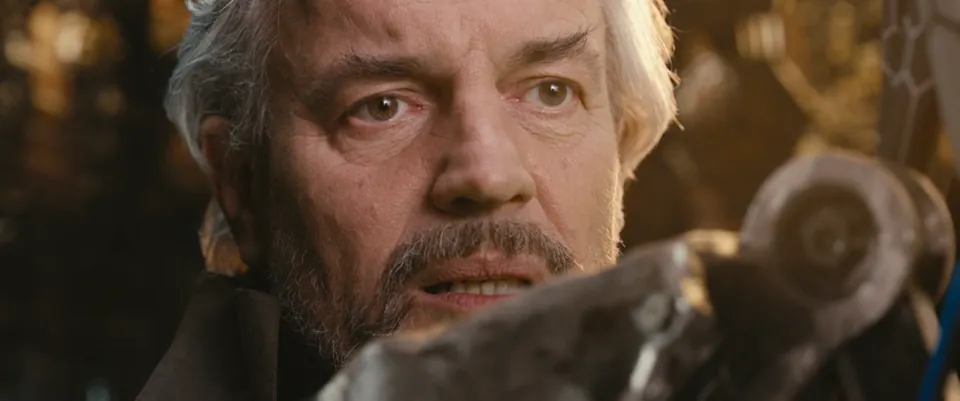
https://skills.varg.ai/previews/craft-reference-breakdown.webp — The kind of frame Reference Breakdown starts from, one you have rights to: an eye-level close-up on a long lens, warm backlight rimming the hair, a soft frontal key, a bokeh background and an out-of-focus foreground object in an amber-brown palette. The skill's own output is a shot spec in words and card ids, not this image. Tears of Steel (2012) frame at 09:15.4, 720p release from the Blender mirror (download.blender.org/demo/movies/ToS), full 2.40:1 frame. (credit: Tears of Steel (CC BY 3.0) — (CC) Blender Foundation | mango.blender.org, https://mango.blender.org/)
Used for
- Remake a reference video: Take a reel or ad you like, break it down shot by shot, and remake the format for your brand.
More prompts by model skills
- fal Prompting: Prompt specific model families well: Kling, GPT Image 2 and Happy Horse guides, loaded only when needed.
- Replicate Prompt Images: Write better image prompts and edits: photographic language, lighting, text rendering, consistent characters.
- Replicate Prompt Videos: Prompt video models like a director: shots, camera motion, four audio layers, dialogue, time-coded beats.
- Video Prompting Guide: Write prompts that video models follow: shot types, camera moves and per-model tips from Veo to Sora.
- FLUX 3 Prompt Doctor: Diagnose a FLUX 3 video brief before spending: resolve missing, conflicting or schema-changing asks.
- FLUX Image Best Practices: Prompt FLUX image models well: structure, JSON prompts, hex colors, typography and multi-reference edits.